Linux Beta
Your systemA Flatpak for any distribution. You need a Wayland session with GNOME or KDE Plasma.
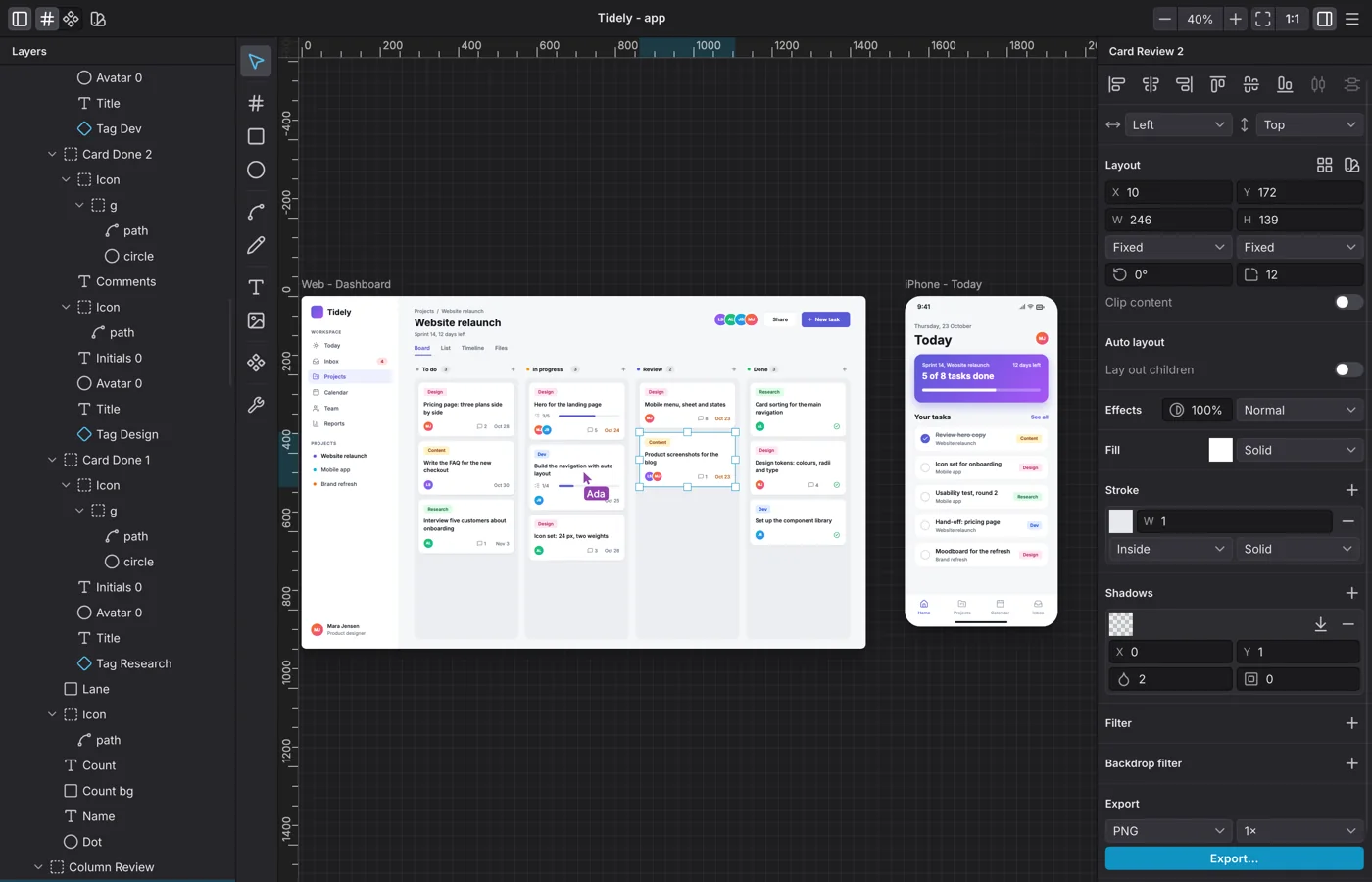
Levee is a design tool for apps and websites. Lay out screens with frames, auto layout and components, and work on them with your team in real time. Your developers can build what you drew.
Free during the early preview, for Linux and macOS.
Features
You know these tools from other design apps. In Levee you get them in a native app for Linux and macOS.
A proper app, not a browser tab. Levee picks up your system's accent colour and interface font, with a title bar on Linux and the menu bar on a Mac. You open the same file on both.
Draw a button once and use it everywhere. When you change the original, every copy follows, and each copy keeps its own text and size.
Pick any family from the Google Fonts catalogue and set its size, weight, line height and letter spacing. Single words can be bold, italic or a colour of their own. In every export, text stays text: you can select, search and edit it.
Pan, zoom and pinch across as many boards as you like. Group and nest layers, and keep track of them in the layers panel.
Guides, equal spacing and live measurements support you while you move things. Every value is a whole pixel, so you type in what you see.
Set anchor points click by click, or draw freehand and Levee turns it into smooth curves. Drop in an SVG and you can edit its shapes too.
Hand-off
Levee lays out a screen the way the finished product works: with frames, auto layout, constraints and real text. It only offers fills, shadows, blurs and blend modes that can be rebuilt on the web. That makes your design something developers can implement. If something can't carry over, Levee shows you right away.
.button {display: flex;align-items: center;gap: 8px;padding: 16px 40px;border-radius: 12px;background: linear-gradient(135deg, #5254f2, #bf31f7);color: #ffffff;}Export
Select a shape, a group or a whole board and export it. For images you choose 1x, 1.5x or 2x.
Sharp images of what the canvas shows, at 1x, 1.5x or 2x for high-resolution screens.
Icons and illustrations stay vectors. Open the file in the vector editor of your choice and keep working.
Or JPEG: smaller files for the web and for sharing.
A whole board as a web page. Text stays text, and the layout behaves as it does in Levee. Share it as a prototype or hand it to your developers as a starting point.
Work together
See your teammates' cursors on your canvas and their changes as they happen. Ctrl+Z (⌘+Z on a Mac) only undoes your own steps. Sign in to start a team, invite people and work on the same document together.
Sign in to LeveeDecide who sees what. A team holds projects, a project holds documents, and each person's role sets what they may do.
Everyone working in the document appears at the top of the window and with their pointer on the canvas, in the same colour in both places.
Pin a comment right where it belongs, then reply and resolve it. That works in Levee and in the browser, where guests with a share link can join in.
Download
Levee is in early preview and free to try. There is no pricing plan yet, and you don't need an account for your own files.
A Flatpak for any distribution. You need a Wayland session with GNOME or KDE Plasma.
For Macs with Apple silicon and macOS 11 or newer. Levee isn't notarised by Apple yet, so you allow the first launch once in macOS.