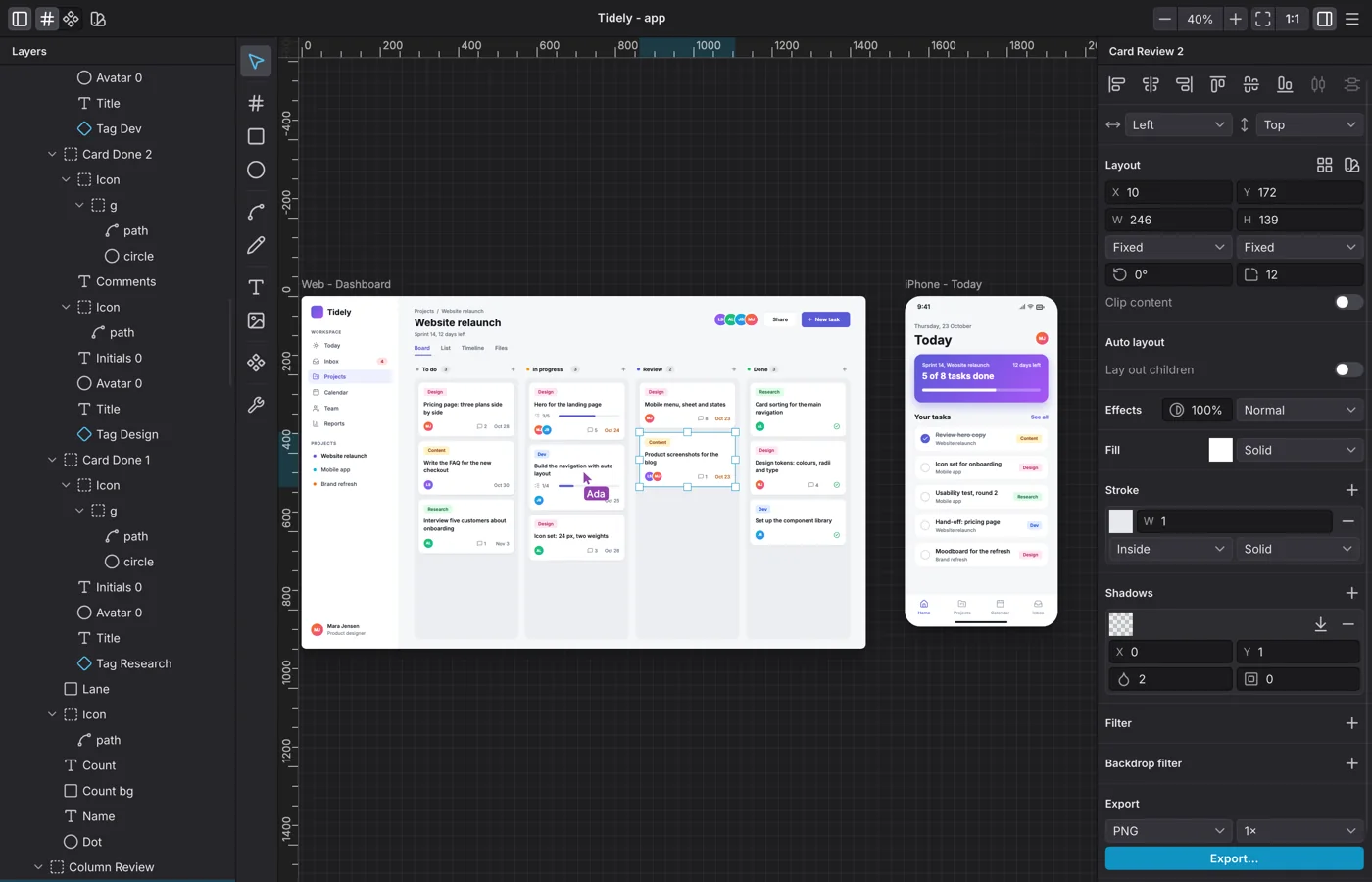
Levee 0.8 is out for Linux and macOS. This release brings details you need for real screens: words with a style of their own, boxes with a flexible size, and a quicker way to build components. Here is what's new.
Style single words
Part of a text can now have its own style: bold, italic, a colour, underline, strikethrough or a link. Select the words while you type, or set the style in the inspector. The new Link field turns the selected words into a link. The canvas, the HTML export and the SVG export all show the style.
Boxes with a flexible size
You now set the size of a box for each axis separately. A box can keep a fixed size, hug what it holds, or fill the space that is left, with a minimum and a maximum if you like. That is how flexbox works in CSS, so your finished page behaves like your canvas. The same goes for instances of components.
A text box can also stop after a set number of lines.
Groups that clip
A group can hide everything that sticks out past its edge, like overflow: hidden in CSS. The
frame tool draws these groups, and whatever you draw inside a frame goes into it. An imported SVG
with a rectangular clip becomes one of them as well.
Components in one step
Make Component (Ctrl+Alt+K, or ⌥⌘K on a Mac) turns your selection into a component and leaves an instance where it was. When you resize an instance, it follows its component's pins. You can hide or lock single instances.
A tidier layers list
Drag the edge of the layers list to make it wider. The width is kept. Long names show in full, and the eye and the padlock are no longer in the way. A duplicate continues the row or column its original sits in.
A new look
Levee has a new icon, designed by Tim. About Levee is now a window of its own, with the version, the links and the frameworks Levee is built on. A click on the version copies it, handy for a message to support.
Agents can do more
AI agents connected through the MCP server can now group and ungroup layers. They read the comments on a cloud document, together with the layer under each pin, so you can ask them to work through feedback. They can also give a path a size that scales its curve, and import an SVG at a size you choose. Connect an AI agent to Levee shows how to set one up.
Fixes
- A path is filled wherever its outline goes.
- What a board hides can no longer be picked or typed over.
- An exported picture shows every line of a fixed-size text box.
- A colour well's popover stays open while you drag in it.
Before you update
A document saved with 0.8 no longer opens in 0.7. Levee 0.8 also syncs cloud documents in a new way. If you work on cloud documents with others, update together, and you can carry on where you left off.
The guides for Linux and macOS show how to get 0.8. Levee is still a beta on both systems, and your feedback helps us. Write to us whenever something comes up.