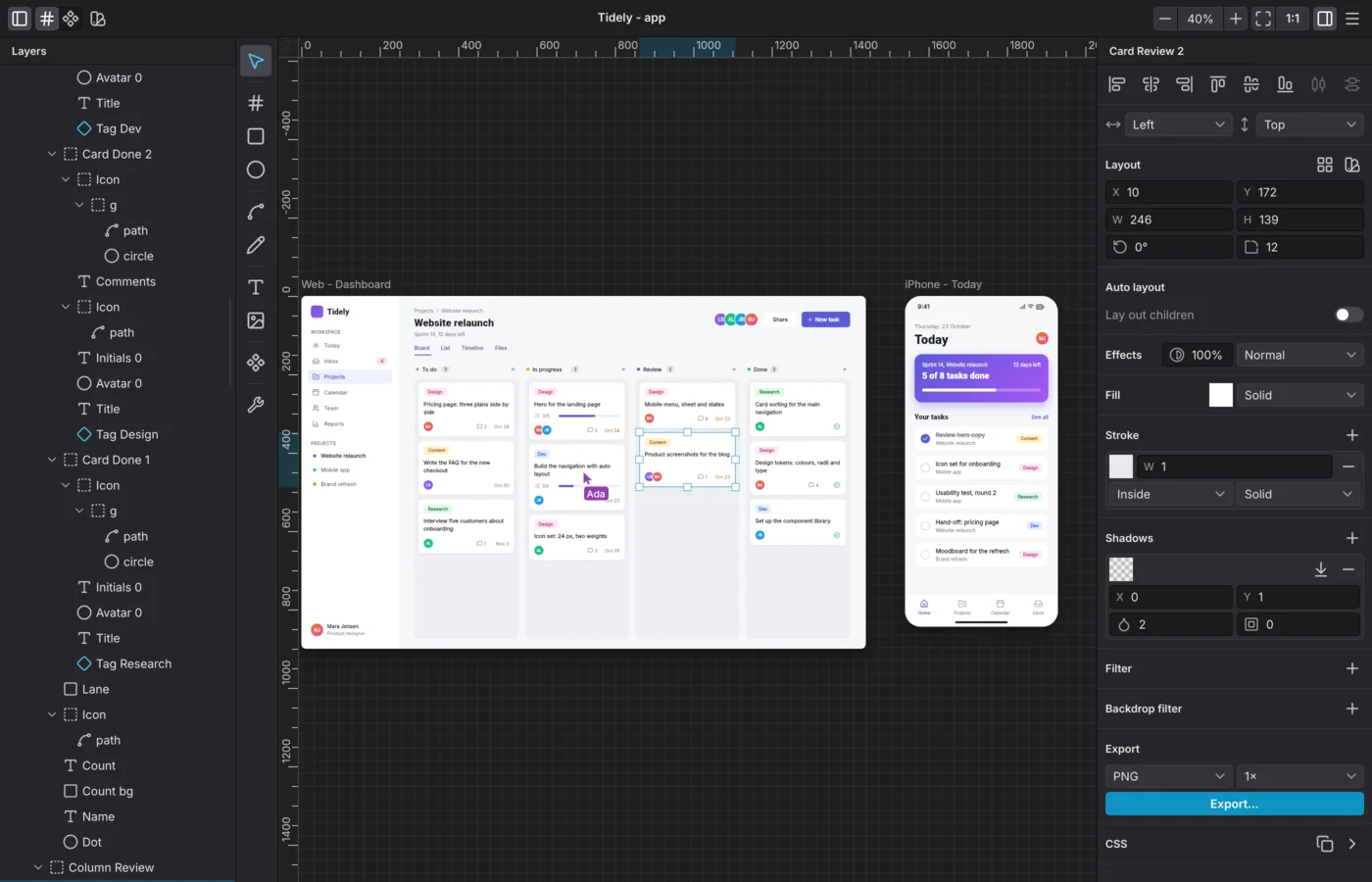
Levee started out as a design tool for the Linux desktop. With 0.7 it is one app for Linux and macOS. A team no longer has to agree on an operating system before it can agree on a design.
A new program under the same name
Levee 0.7's window is drawn with Slint, and its canvas and text with Skia, the graphics engine browsers draw with. The interface is dark, it takes on your system's accent colour and interface font, and it follows each system's conventions: a native title bar on Linux, the menu bar on a Mac.
Everything you made with earlier versions opens as before. Documents use the same format, and the sign-in, the settings, the recent documents and the fonts Levee has already downloaded carry over.
The canvas shows what the browser will show
The canvas now shares its engine with the browser, so a design looks on the canvas the way it looks on the finished page:
- Blurs have the width the CSS specifies. Before, they were only half as wide.
- Shadows scale with the zoom, and in 2x exports.
- A frosted panel inside a group with reduced opacity loses its frosted effect, as in a browser.
The canvas draws on the GPU, with Vulkan on Linux and Metal on a Mac. It follows a pinch or a scroll at the refresh rate of your screen.
Two systems, one download each
| System | What you get | Good to know |
|---|---|---|
| Linux | A Flatpak for any distribution | Wayland only, on GNOME or KDE Plasma |
| macOS | A disk image for Macs with Apple silicon, macOS 11 or newer | Not notarised by Apple yet, so you allow each version once in macOS |
On both systems, 0.7 is a beta for now. The install guides walk you through each one: Linux and macOS.
Everything else is still there
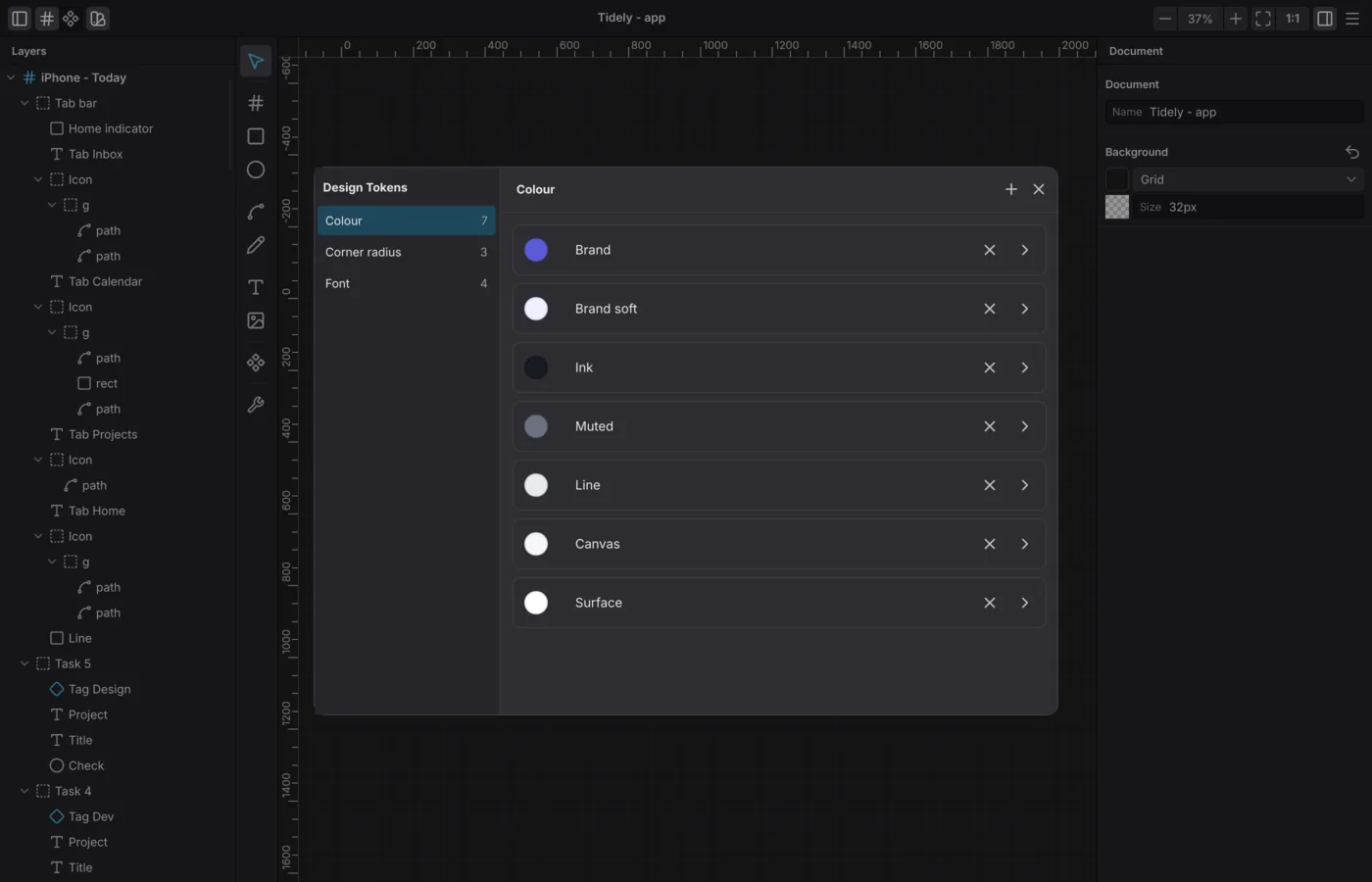
Frames with auto layout and constraints, components and their instances, design tokens for colours, corner radii and type, comments, and the export to PNG, JPEG, WebP, SVG and HTML all came along. The design tokens look like this in 0.7:
Agents on every system
levee-agent and levee-mcp let scripts and AI agents work with Levee documents. Now both
reach the document open in Levee on macOS too. Before, that only worked on Linux.
Connect an AI agent to Levee has the line that sets it up for your
system.
When there is a new version
On macOS, Levee checks once at startup whether there is a newer version, and shows it in the window it opens with:

Download opens the new version in your browser. Levee never installs anything automatically. On Linux, updates keep coming through Flatpak and your software centre.
Coming from 0.6
- Linux: 0.7 arrives as an ordinary update. It runs on a newer platform, the freedesktop runtime 26.08, which Flatpak downloads once. An X11 session is no longer supported.
- macOS: drag the new Levee onto Applications over the old one. On the first launch, you allow it in macOS once more.
- People on 0.6 and people on 0.7 can work on the same cloud document, so a team can update one person at a time.
This is the first release of the new program, and parts of its interface are still in progress. If something looks wrong, write to us.
Levee 0.7.1
A day later, 0.7.1 followed with these fixes:
- Undo in a text field, such as a layer's name or a colour's hex value, now takes back what you typed there and not the last change on the canvas.
- A layer dragged to the top or bottom edge of the layers list scrolls the list.
- You can type into the zoom in the header again.
- An opened type style in the design tokens shows a specimen at its own size, line height and letter spacing.
- When a typeface cannot be loaded, a notice appears. Before, the text was quietly drawn in a substitute.